
Features
Everything from capture to follow-up.
Voice Note Pro pairs offline-first transcription with optional AI and project lanes, so a spoken thought becomes a searchable, organized, actionable note — on any device.
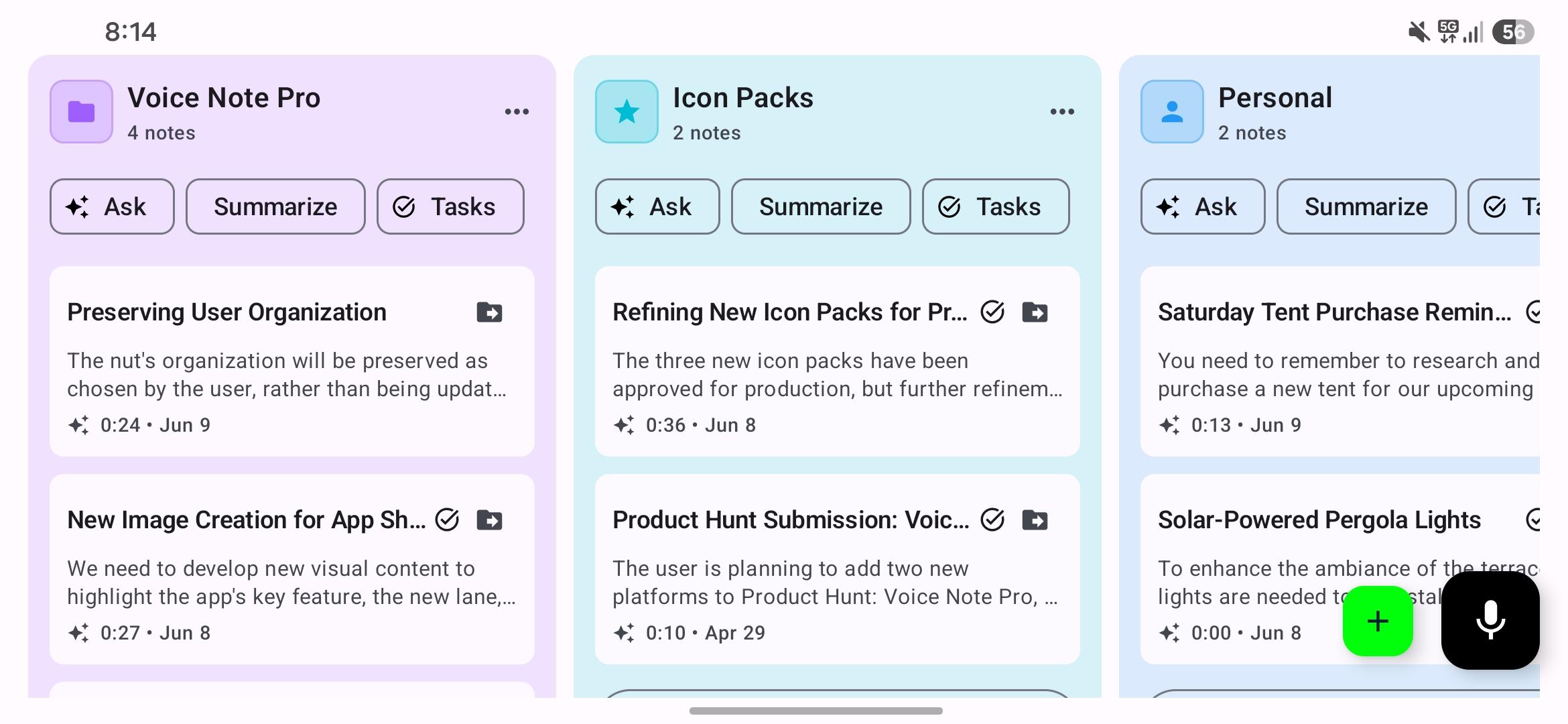
Project Lanes
The new way to work through synced notes.
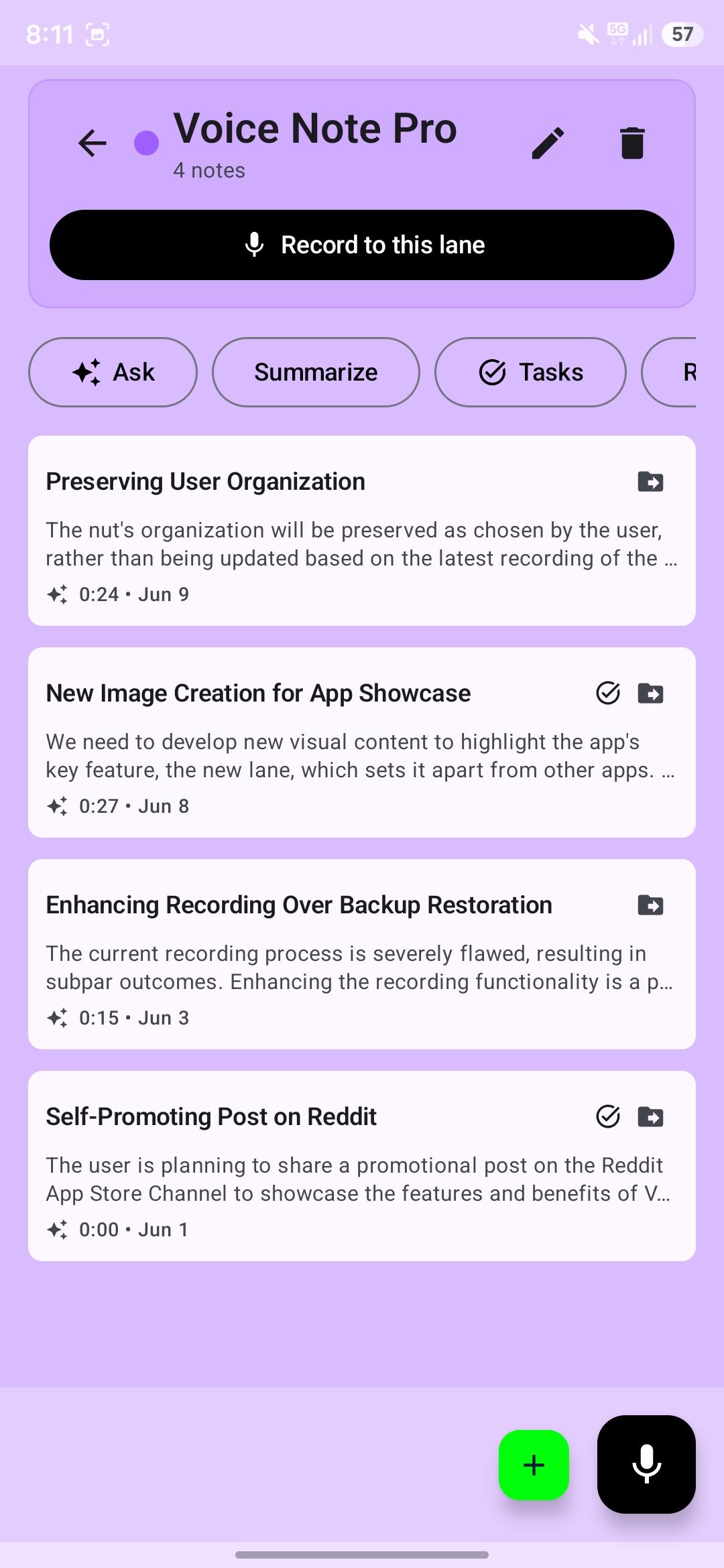
Lanes turn your Inbox and folders into focused columns. Record straight into a lane, then ask questions, summarize, and extract tasks across everything it holds — the same project lanes your phone creates, now on the web dashboard too.
Capture & transcription
100% offline transcription
Turn AI off to keep recording and transcription fully on-device. No audio or text leaves your phone in offline mode — ideal for confidential, business, or personal notes.
10+ languages
Transcribe English, German, Italian, Spanish, French, Portuguese, Russian, Chinese, Japanese, and Korean — and handle mixed-language phrases well.
Record to lane
Add a new voice note directly to the project or folder where it belongs, instead of sorting everything later.
Intelligence & organization
Optional AI features
Enable AI only when you want it: titles, summaries, to-dos with priority and due dates, tags, and smarter calendar suggestions. Each can be toggled individually.
Automatic calendar detection
Detects phrases like 'tomorrow at 6 p.m.' and asks before creating an event, with support for multiple calendars.
Project lanes
Process synced notes in lanes — Inbox plus folder-backed groups — with ask, summarize, task, review, and record actions.
Kanban & task management
Convert notes into Kanban tasks with customizable columns and color-coded labels, linked back to the original voice note.
Search, tags & categories
Full-text search across title, transcription, summary, and tags, plus folders, categories, custom tags, date filters, and pinned notes.
Privacy & security
Privacy by design
Offline-first architecture with optional cloud intelligence. No account required for local-only use; cloud AI uses encrypted connections with no retained data.
Backup & security
AES-256 encrypted local backups, Google Drive backup and restore, and app lock with PIN, password, or biometrics.
Modern, clean interface
Material You design, light/dark/AMOLED themes, customizable accents, a home-screen recording widget, and share-to-app support.
Cross-Platform
Capture anywhere. Sync everywhere.
Notes sync through your own Google Drive, so the same lanes, tasks, and calendar suggestions are available on every device you use.
iPhone & iPad
Capture on the go and sync every note to the cloud.
App Store
Mac
Run the iPhone app natively on Apple Silicon Macs.
App Store
Android
The original Voice Note Pro experience on any Android device.
Google Play
Web dashboard
Process synced notes in project lanes on a larger screen.
Open dashboard