
01
Record
Speak naturally on your phone. Voice Note Pro captures quick ideas, meetings, reminders, journals, and field notes — with a home-screen widget for one-tap capture.
How It Works
The workflow is simple: capture by voice, transcribe offline, let optional AI do the organizing, and sync it all across your devices.
Speak naturally on your phone. Voice Note Pro captures quick ideas, meetings, reminders, journals, and field notes — with a home-screen widget for one-tap capture.
The voice note becomes searchable text with on-device transcription. With AI off, nothing leaves your device, so private capture stays local by default.
Turn on AI when it helps: titles, summaries, to-dos, tags, and calendar suggestions. Everything lands in project lanes — Inbox plus folder-backed groups.
Notes sync through your own Google Drive. Pick up the same lanes, tasks, and reviews on iPhone, iPad, Mac, Android, or the web dashboard on a larger screen.
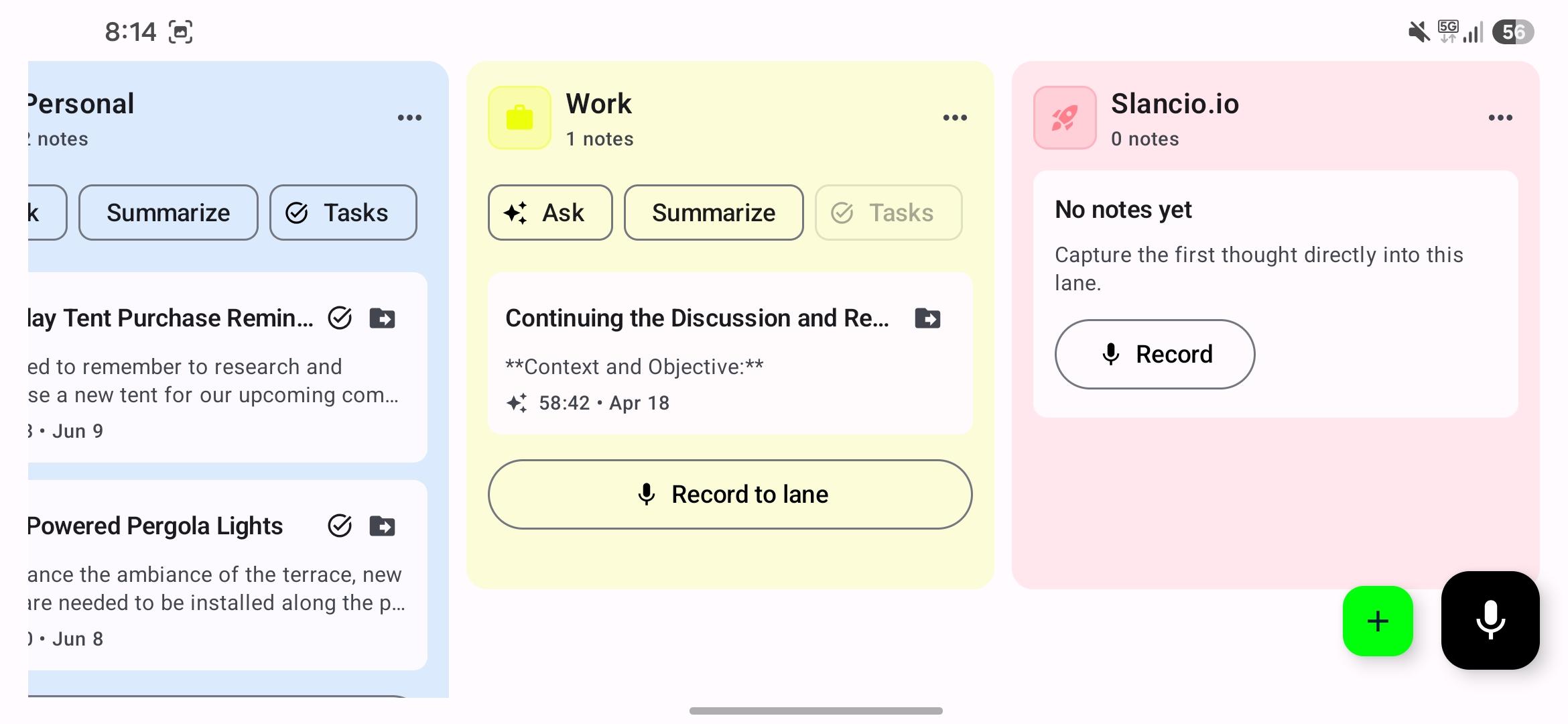
Create notes directly inside the right lane instead of sorting later.
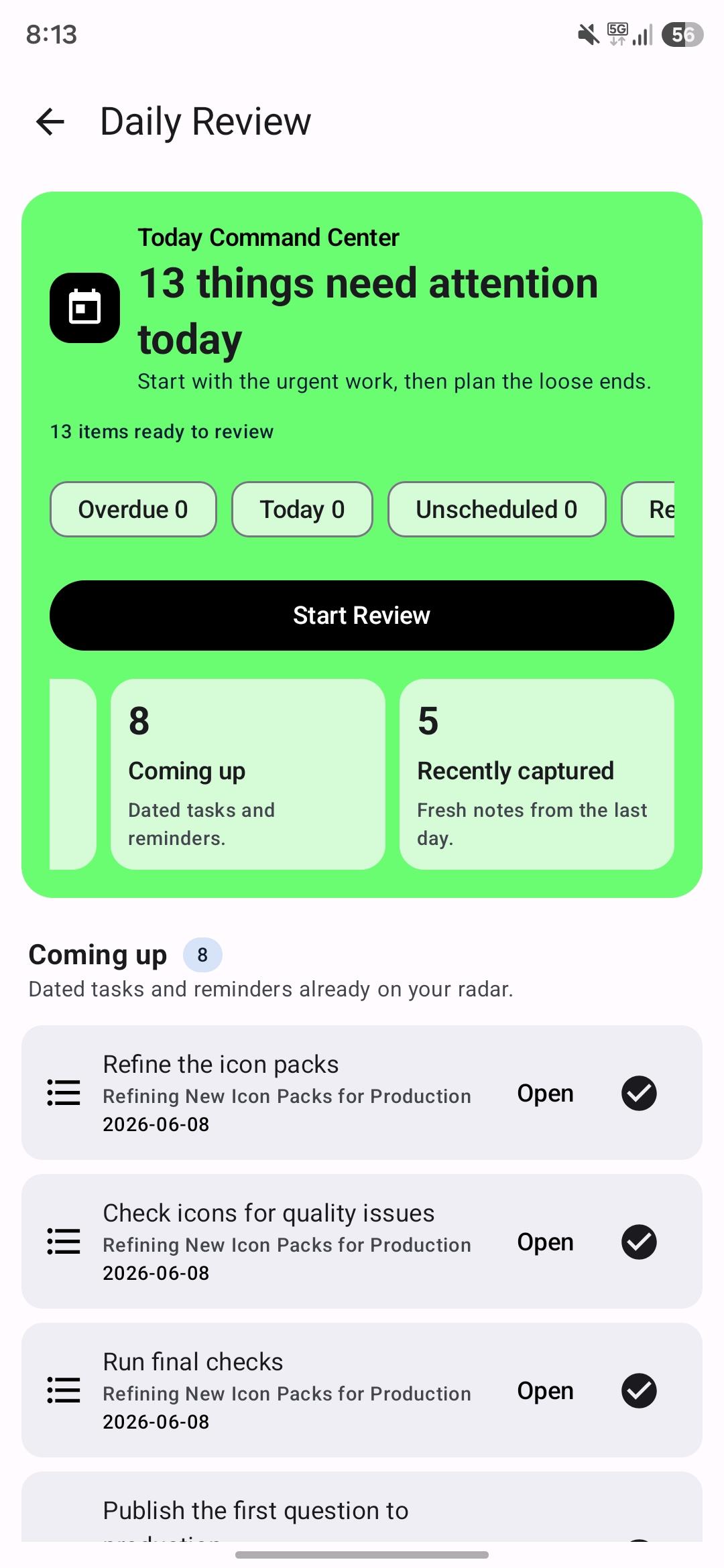
Dated tasks, reminders, and fresh notes surface before they slip through.
Get Started
Download Voice Note Pro, record your first note, and watch it become searchable text — then open the web dashboard to work through your lanes.